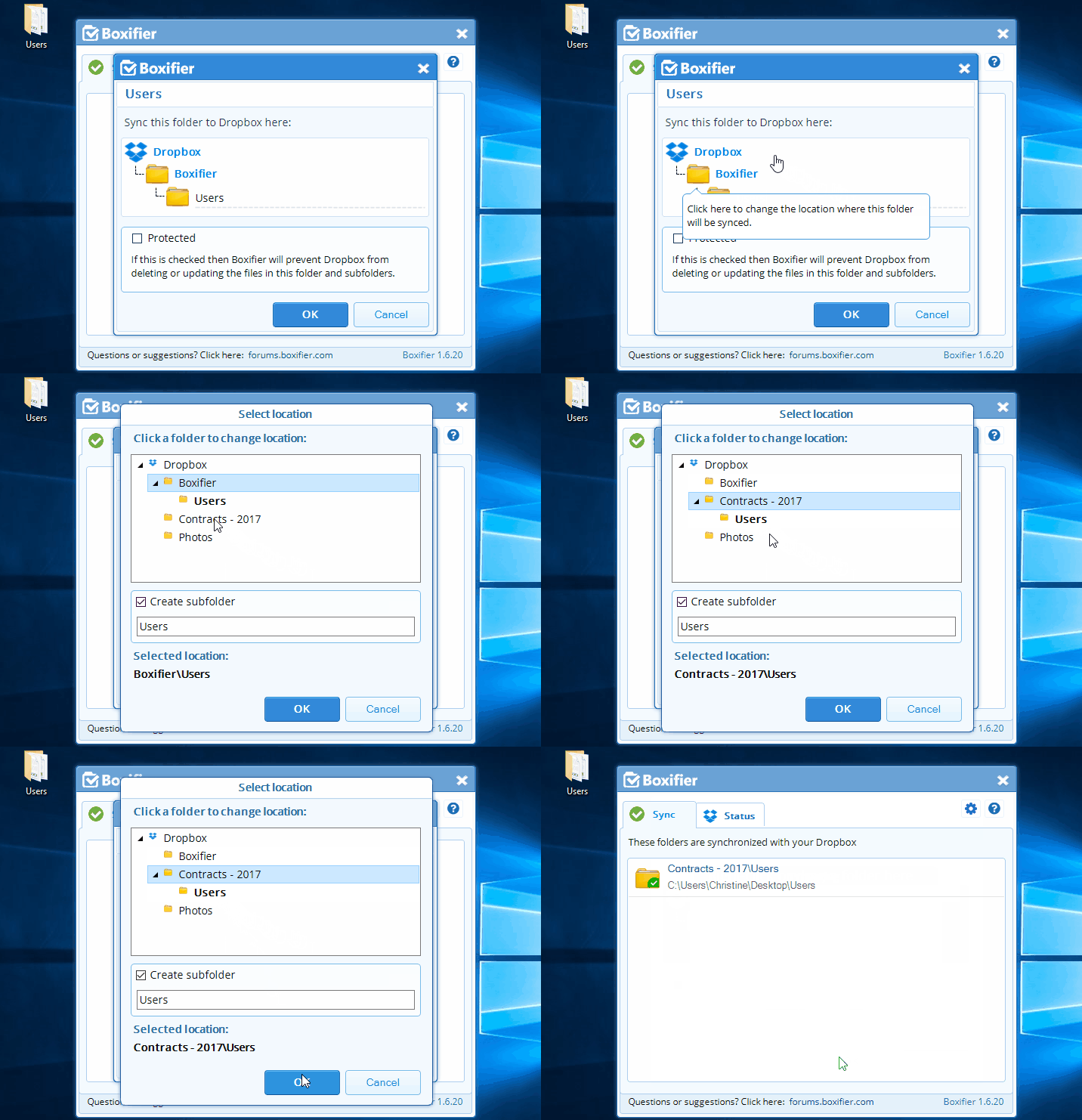

Here is how to setup a synchronization outside your Boxifier folder.
Sync as a top-level folder
- Right-click on the folder that you want to sync and click Boxifier - Sync with Dropbox or just drag the folder to the Boxifier application window
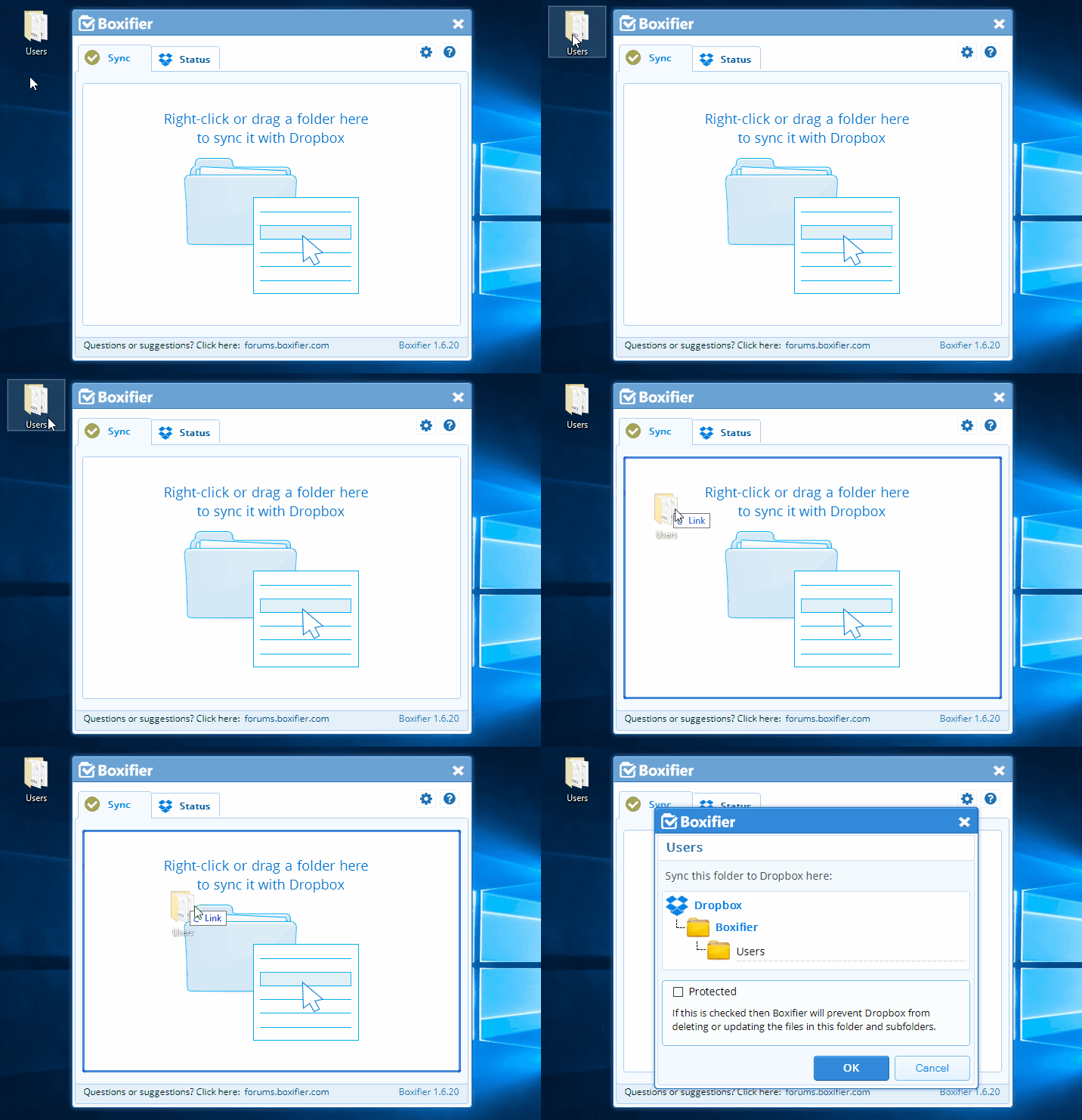
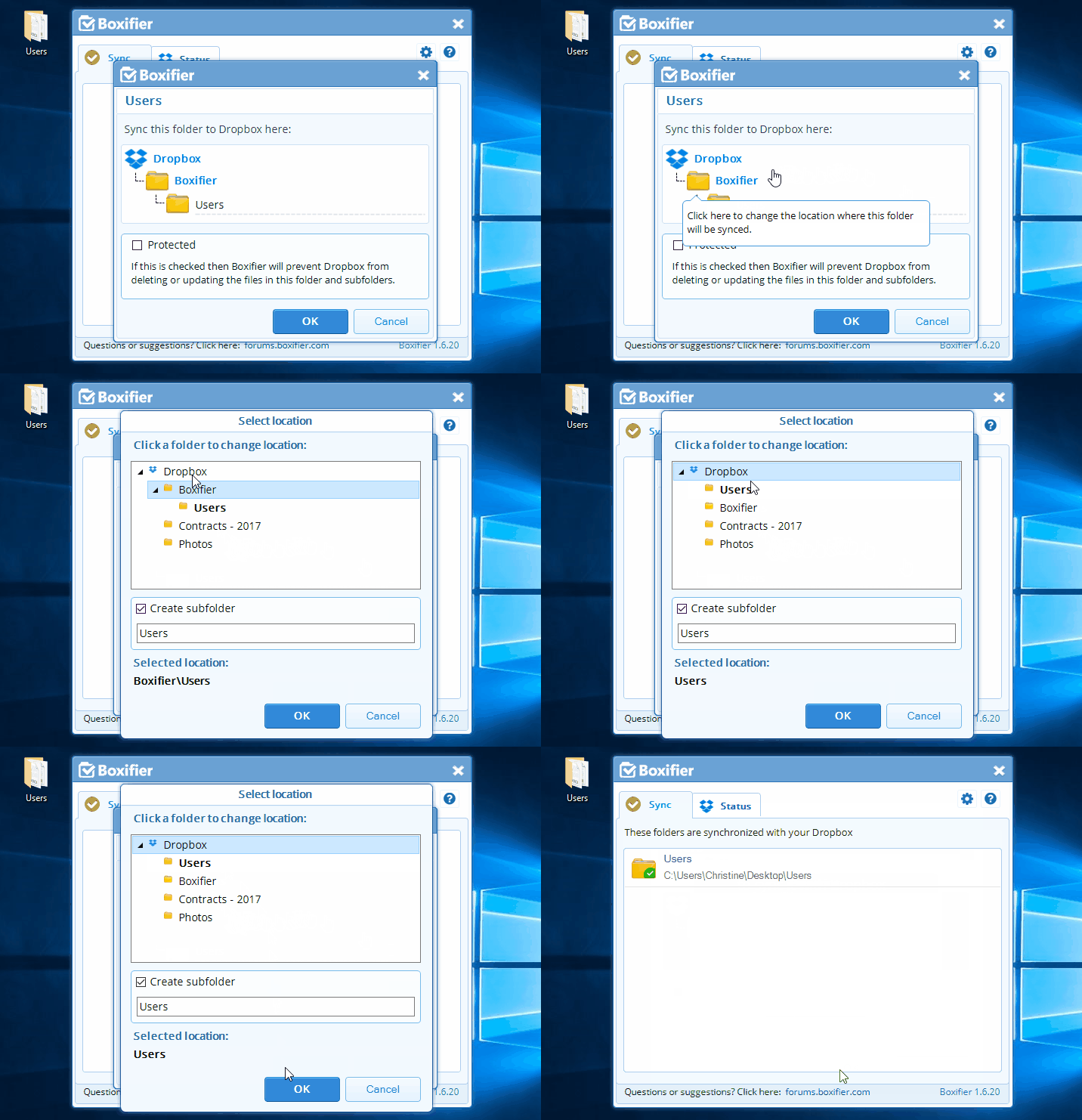
- By default, it will suggest syncing as a subfolder of the “Boxifier” folder, but in order to sync to a top-level folder in Dropbox, or to a subfolder of one of your Dropbox folders just click on the upper part of the folder structure in order to change the sync location
- Click on the Dropbox folder to sync as a top-level folder in Dropbox,
Sync as a subfolder of a top-level folder
Click on any other top-level folder in Dropbox to make the newly sync folder a subfolder of it and then click OK