

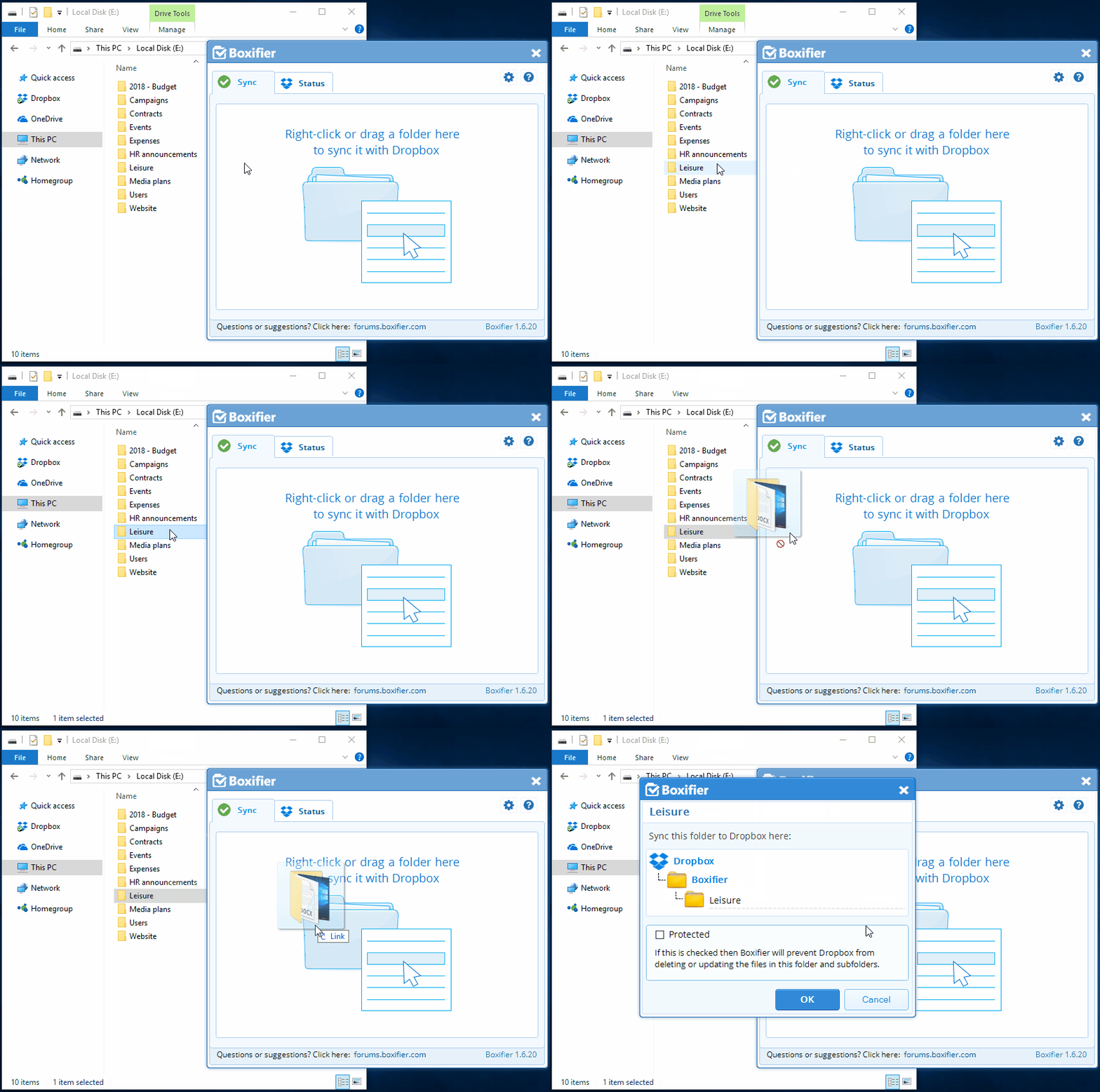
Here is how to setup a folder to be automatically synchronized by Boxifier:
- Right-click on the folder that you want to sync and click Boxifier - Sync with Dropbox or just drag the folder to the Boxifier application window
- Click OK
- You will see the folder added to the list of folders in the Boxifier application window
From the moment that you setup a folder to be synchronized, Boxifier will automatically sync all changes made inside that folder.