

Here are the steps to take if you already have a Boxifier premium license and you want to upgrade to a different license.
- Send us an e-mail at team@boxifier.com mentioning the new Boxifier product you want to use
- We will send you by e-mail a link for the new product and once the order is processed, you will receive the new license code
- In order to activate the new license, click on the question mark symbol found in the top right of the Boxifier application window
- Click on Boxifier … license and enter your new license key
- Click Upgrade
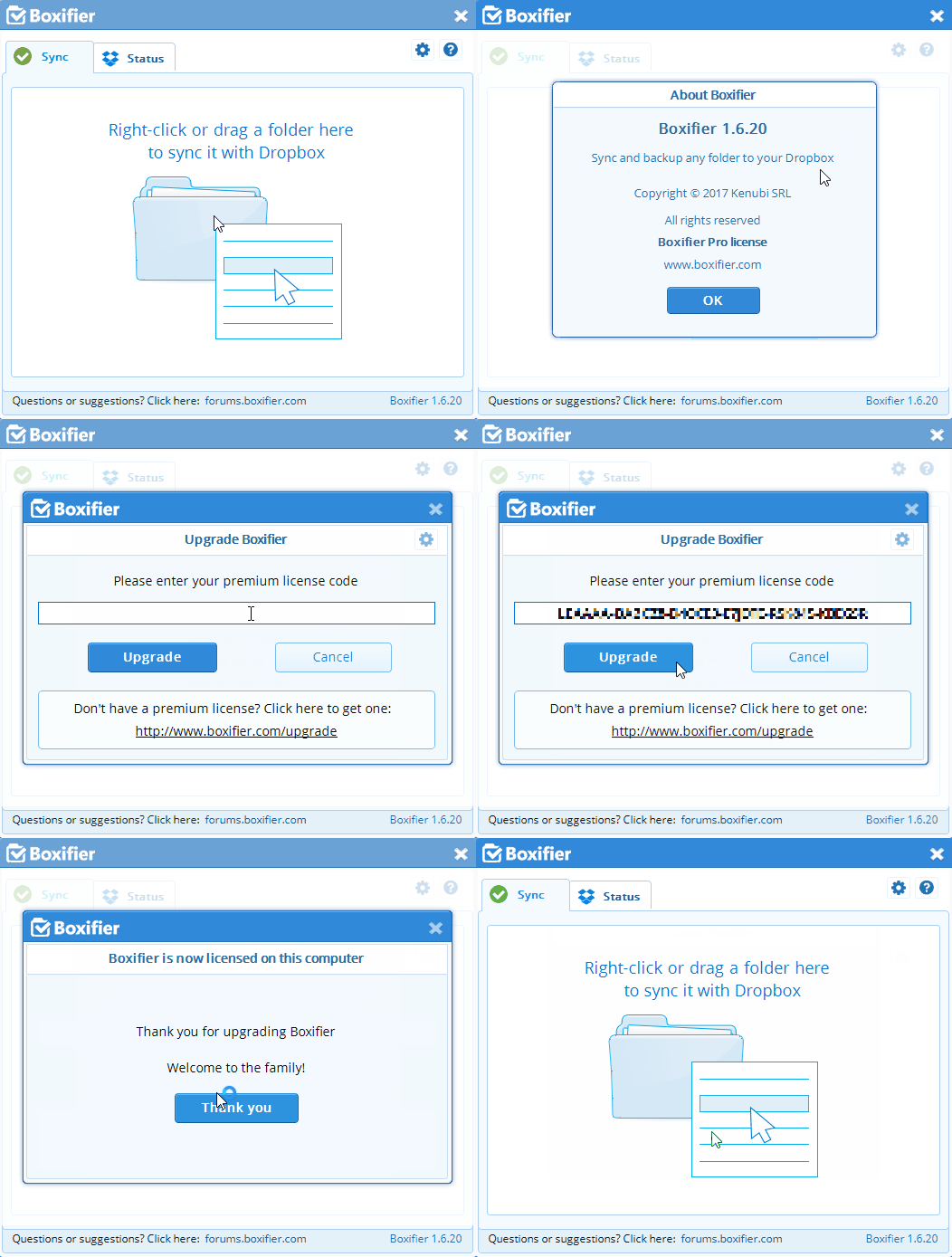
Your new Boxifier product is now ready to be used.